Choosing columns
This page needs a recent browser (with SharedArrayBuffer support). Please update Chrome, Edge, Firefox or Safari to the latest version.
Picking columns
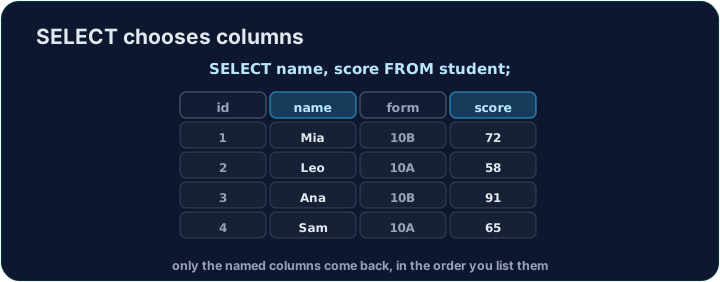
SELECT * returns every column. Usually you want only a few. Instead of *, list the columns you want, separated by commas:
SELECT name, score FROM student;
The result has just those columns, in the order you wrote them.
Renaming a column with AS
You can rename a column in the result with AS. This does not change the table — only the heading shown:
SELECT name AS pupil, score AS mark FROM student;
The headings become pupil and mark. This is handy for clear reports.
Common mistakes
- List the columns you want, separated by commas.
ASrenames a column in the result.
Explore
SELECT picks columns
Choosing columns keeps only the fields you name.
Difficulty 1/5 · 100 coins + a small bonus on first completion today
Select only the name and score columns from student, in that order.
Click Run to see the output here.
Difficulty 1/5 · 100 coins + a small bonus on first completion today
Select name and score, but rename the headings to pupil and mark using AS.
Click Run to see the output here.