Users and sudo
This page needs a recent browser (with SharedArrayBuffer support). Please update Chrome, Edge, Firefox or Safari to the latest version.
Many users, one computer
- Linux was built for many people to share one machine safely.
- Each person has a user account.
whoamitells you who you currently are:
whoami
- File ownership does not make files private. Their permissions determine which ordinary users can read or change them; administrators may have additional access.
The superuser: root
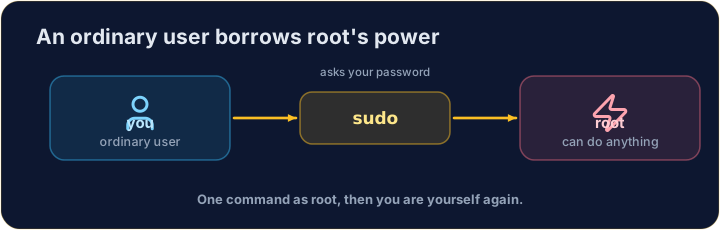
- One special user, root, has extensive administrator privileges, such as installing software and managing users. System security controls can still impose limits.
- With great power comes great danger: a wrong command as root can break the whole system.
- So you normally work as an ordinary user, and only become root when you must.
sudo — borrow root for one command
- When policy permits,
sudoruns a command as another user, normally root. It may ask for your password; cached authentication or policy can remove that prompt:
sudo apt install git
- Use it only when a task needs the permitted administrator rights. Read the command twice before pressing Enter. Our simulator supports
whoamiandhostname, but does not grant real administrator access.
Common mistakes
sudoruns one command as the administrator — use it carefully.- Do not put
sudoin front of everything.
Difficulty 2/5 · 140 coins + a small bonus on first completion today
Print the name of the user you are logged in as, with whoami.
Difficulty 2/5 · 140 coins + a small bonus on first completion today
Every machine has a name too. Print the name of the computer you are on with hostname.