Capstone: a one-page report
Putting it all together
- You now know the core of LaTeX: structure, formatting, maths, lists, and more.
- A real document is just these pieces, combined. Let's build a small report.
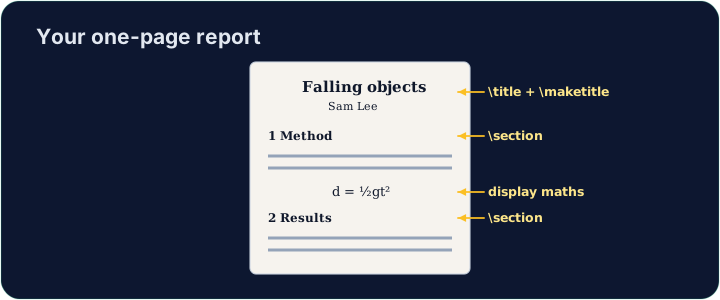
Your toolkit recap
- Structure:
\section,\maketitle. - Text:
\textbf,\emph. - Maths:
$ ... $,\frac,\sqrt. - Lists:
itemizeandenumerate.
Build the report
- The starter has a title block ready. Add a
\section, a bulleted list, and one inline formula. - Run often to watch the PDF take shape — that fast feedback is the joy of LaTeX.
- When it looks good, press Check. Congratulations — you can write LaTeX!
Common mistakes
-
Build the document in parts and compile often.
-
A single missing
}or$can stop the whole compile — read the first error. -
Check looks for the requested source constructs. Run compiles the document and previews it; use Run to catch TeX errors and inspect the result.
Difficulty 4/5 · 280 coins + a small bonus on first completion today
Finish this report using what you have learned. Add at least one \section, a bulleted list (\begin{itemize} with \items), and one inline formula in $ ... $. Then Run to admire your PDF.
Difficulty 4/5 · 280 coins + a small bonus on first completion today
Polish the report. Break one section into a \subsection, and add a short numbered enumerate list of next steps. Small structure like this is what makes a report readable.