Citations and bibliography
This page needs a recent browser (with SharedArrayBuffer support). Please update Chrome, Edge, Firefox or Safari to the latest version.
Citing your sources
- Academic writing must say where facts came from. LaTeX makes this tidy.
- You keep a list of sources, each with a key, and cite the key in your text.
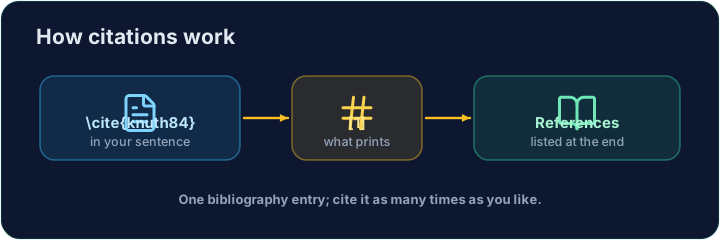
The bibliography
- List your sources in a
thebibliographyenvironment, each as a\bibitem:
\begin{thebibliography}{9}
  \bibitem{lamport} Leslie Lamport. \emph{LaTeX}. 1986.
\end{thebibliography}
- The
{9}just says "numbers are one digit wide".lamportis the key you choose.
Citing in the text
- Anywhere in the document, write
\cite{lamport}:
LaTeX is powerful~\cite{lamport}.
- With this manual
thebibliography, numbers follow the order of the\bibitementries, not the order in which you first cite them. A single first entry is[1]; inserting an entry before another changes the later entry’s number.
Common mistakes
\cite{key}needs that key defined in your bibliography.- Compile twice, or the citations show as
?.
Difficulty 2/5 · 140 coins + a small bonus on first completion today
Cite the book in the sentence with \cite{lamport}, and add a matching \bibitem{lamport} entry inside the bibliography. The same key links the two.
Click Run to compile and preview the PDF.
Difficulty 2/5 · 140 coins + a small bonus on first completion today
Add a second source. Give the second book a \bibitem{knuth} entry, then cite it in the sentence with \cite{knuth}. In this manual bibliography, numbers follow bibitem entry order: Knuth is [2] when Lamport is listed first.
Click Run to compile and preview the PDF.