Storing passwords safely · تخزين كلمات المرور بأمان
The big rule: never store plain passwords
- If a website stores your password as plain text and gets hacked, every password is stolen instantly.
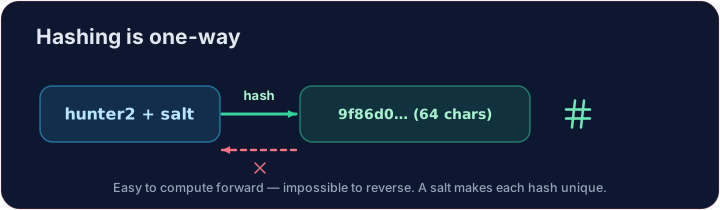
- Instead, sites store a hash — a scrambled fingerprint that cannot be reversed back into the password.
القاعدة العظمى: لا تخزن كلمات المرور نصًا عاديًا أبدًا
- إذا حفظ موقع إلكتروني كلمة المرور الخاصة بك كنص عادي وتم اختراقه، سيتم سرقة كل كلمات المرور فورًا.
- بدلاً من ذلك، تحفظ المواقع البصمة الرقمية (Hash) — وهي بصمة مشفرة لا يمكن عكس مسارها لتصبح كلمة المرور.
What is a hash?
- A hash function turns any input into a fixed-length string. The same input always gives the same hash.
- It is one-way: easy to compute forwards, practically impossible to reverse.
- When you log in, the site hashes what you typed and compares it to the stored hash — it only ever stores the hash, never your actual password.
ما هي البصمة الرقمية؟
- دالة البصمة الرقمية تحول أي مدخل إلى سلسلة ذات طول ثابت. نفس المدخل يعطي دائمًا نفس البصمة الرقمية.
- إنها ذات اتجاه واحد: سهلة الحساب للأمام، وغير ممكنة عمليًا للعكس.
- عند تسجيل الدخول، تقوم الموقع بحساب بصمة رقمية لما كتبته ومقارنتها بالبصمة المخزنة — فهي تخزن البصمة الرقمية فقط، ولا تخزن كلمة المرور الفعلية أبدًا.
import hashlib
print(hashlib.sha256(b"hello").hexdigest())
Add salt
- If two users pick the same password, their hashes match — a clue for attackers.
- A salt is a random string added before hashing, so identical passwords get different hashes.
- It also defeats pre-computed "rainbow table" attacks. Always salt.
إضافة الملح
- إذا اختار المستخدمان نفس كلمة المرور، تتطابق بصماتهم الرقمية — وهو مؤشر للمهاجمين.
- الملح هو سلسلة عشوائية تُضاف قبل حساب البصمة الرقمية، بحيث تحصل كلمات المرور المتطابقة على بصمات رقمية مختلفة.
- كما أنها تقضي على هجمات "جداول قوس قزح" المسبقة الحسبة. يجب دائماً استخدام الملح.
Your turn
- Hash
salt + passwordwith SHA-256. The check confirms you produced the correct 64-character digest.
Covers: A-Level 6.1, 17.1 (encryption/hashing).
دورك الآن
- احسب بصمة رقمية لـ
salt + passwordباستخدام SHA-256. ستؤكد عملية التحقق من إنتاجك للملخص الصحيح المكون من 64 حرفًا.
يتضمن: A-Level 6.1، 17.1 (التشفير/التبويغ الرقمي).
Common mistakes
- Never store passwords in plain text.
- Store a salted hash, not the password itself.
أخطاء شائعة
- لا تخزن كلمات المرور أبدًا كنص عادي.
- احفظ بصمة رقمية ممحلة، وليس كلمة المرور نفسها.
Store the hash, not the password · خزن الهاش، لا كلمة المرور
Sites store a hash; a tiny change gives a totally different digest. · المواقع تخزن هاش؛ تغيير صغير يعطي ملخصاً مختلفاً تماماً.
Never store a plain password — store its hash. Using hashlib, hash the salt + password with SHA-256 and put the hex digest in a variable called digest. · لا تخزن أبداً كلمة مرور عادية — خزن هاشها. باستخدام hashlib، قم بـ hashing للـ salt + كلمة المرور باستخدام SHA-256 وضع الملخص الست عشري في متغير اسمه digest.
Click Run to see the output here. · اضغط تشغيل لرؤية المخرجات هنا.
Now be the login system. The database holds a salt and a stored digest — never the password. Hash salt + attempt with SHA-256 and print welcome if it matches stored, else denied. · الآن كن نظام تسجيل الدخول. قاعدة البيانات تحتوي على salt وملخص stored — أبداً كلمة المرور. قم بـ hashing salt + attempt باستخدام SHA-256 وطبع welcome إذا تطابق مع stored، وإلا denied.
Click Run to see the output here. · اضغط تشغيل لرؤية المخرجات هنا.